
Shortery – Automate Your Mac
Shortery automatically runs an Apple Shortcut, a shell script, or an AppleScript the moment it detects the right condition or trigger — whichever fits how you like to automate your Mac. Build with the Shortcuts app for things like playing music, arranging windows, getting directions, or toggling HomeKit scenes. Write a shell script to reach for any command-line tool. Or drop in a compiled AppleScript to control other apps directly. All three run exactly the same way, with no Shortcuts app required if you'd rather script it yourself.
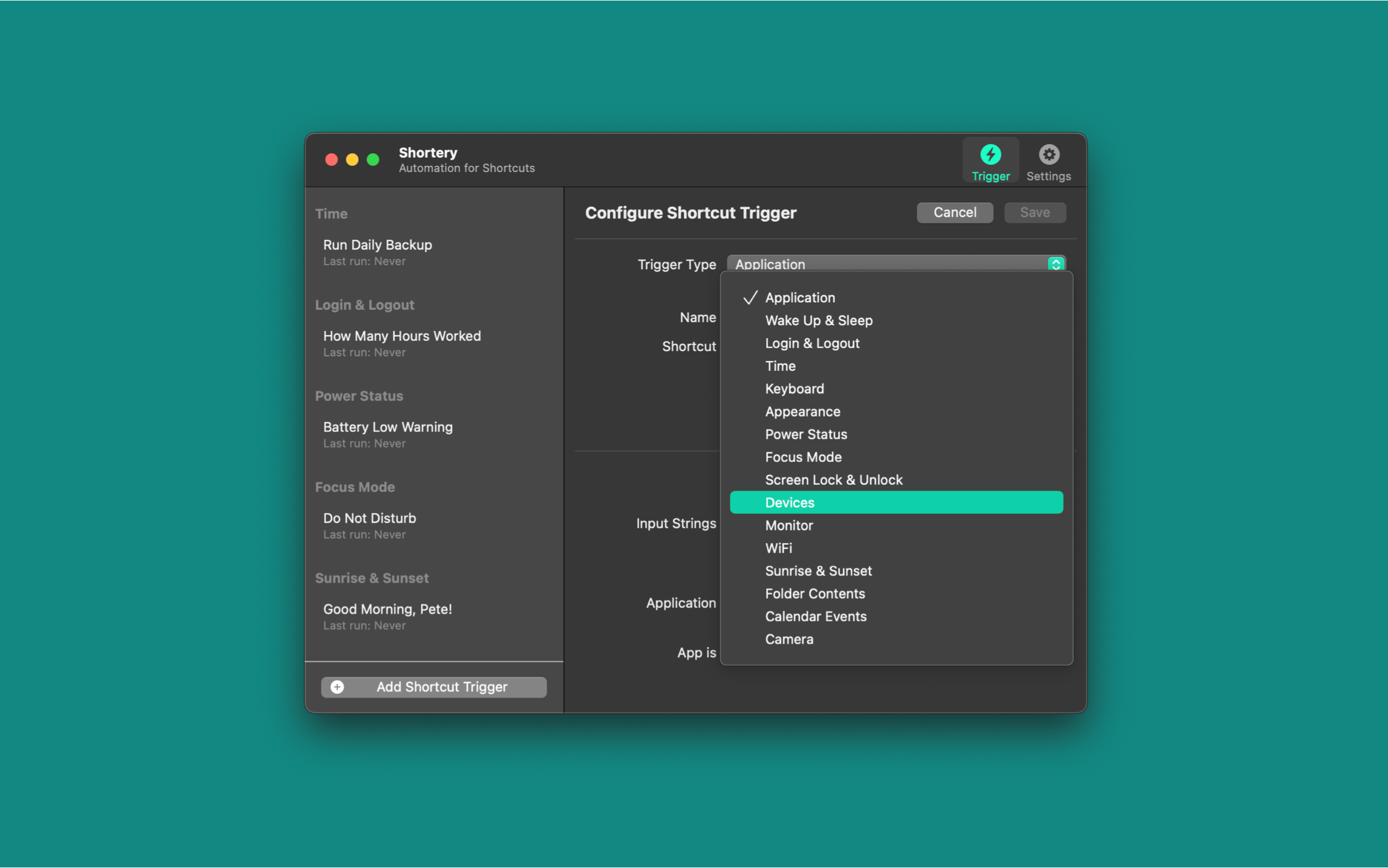
List of Triggers
- Appearance - Respond to changes between light and dark mode
- Applications - React when an app is launched, quit, or becomes active or inactive
- Audio - Detect when audio starts, stops, or recording begins
- Audio Route - Run an action when your default audio output device changes
- Calendar Events - Trigger actions when meetings start or end
- Camera - Monitor when your webcam is turned on or off
- Clamshell Mode - Get notified when your MacBook lid is opened or closed
- Combined Triggers - Fire a shortcut only when several other triggers happen together, combined with AND/OR logic within a time window
- Devices - Track connections and disconnections of USB, Bluetooth, headphones, external drives, or network volumes
- Focus Mode - Adapt when a focus mode is enabled or disabled
- Folder Contents - Watch for changes within specific folders
- Keyboard - Assign global hotkeys to trigger actions from any app
- LAN - React to wired network connections or disconnections
- Login & Logout - Trigger an action when you login or logout of your Mac
- Monitors - Handle monitor connections or disconnections
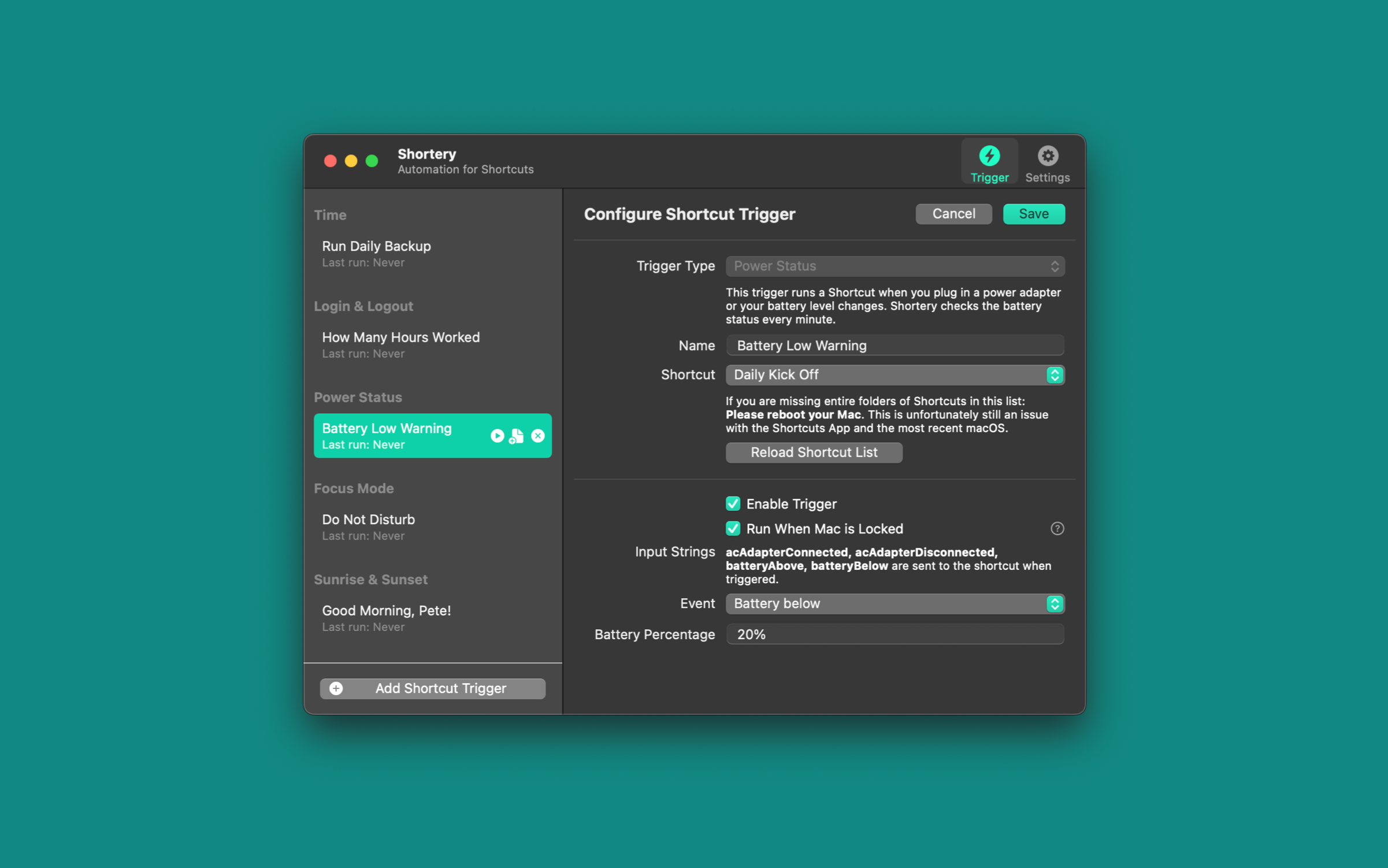
- Power - Trigger based on power adapter status or low battery levels
- Screen - Respond to screen lock or unlock actions
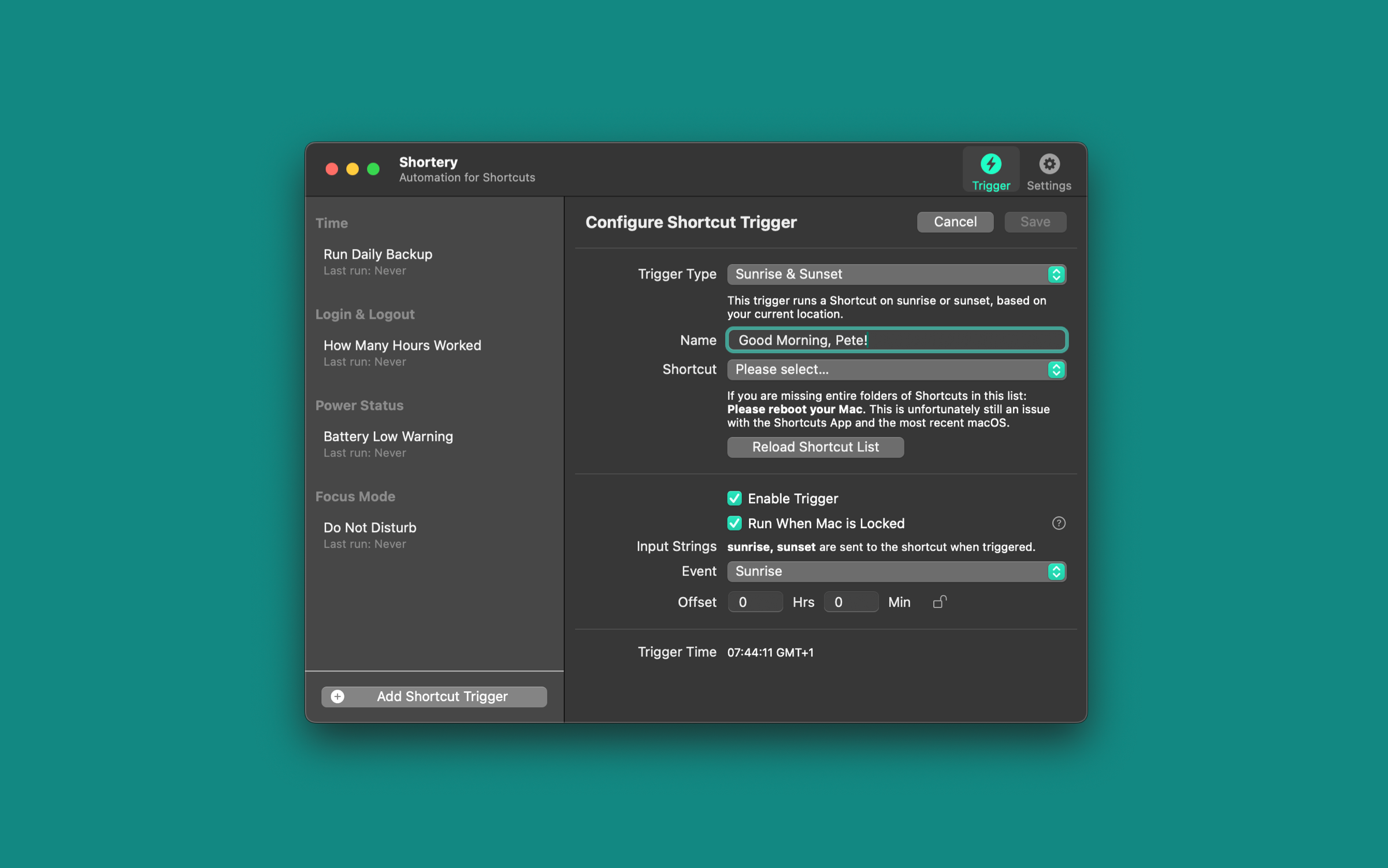
- Sunrise & Sunset - Act based on local sunrise and sunset times
- Wake up & Sleep - Execute actions as your Mac wakes up or goes to sleep
- Time - Schedule actions to run at specific times or intervals
- WiFi - Detect changes in your WiFi connection
Shortery Figures
20+
Automation triggers
100K+
Installations
2+
Featured by Apple
User Reviews
 “i love you! perfect! Exactly what I was looking for. thanks”
By mxmlsn * Turkey
“Very Useful. Just bought version 3.4. Has an extensive choice of trigger options sure to fill just about every need. Easy to understand and apply! Frequent updates to add features and squash bugs.”
By techtype-the-original * United States
“Amazing addition. Thank you for updating so often. You’re amazing. Please consider calendar event triggers :)”
By huhuuhhuuh *United States
Shortery Features
Run your shortcuts, shell scripts & AppleScripts

Over 20 triggers

Configure your automations

Frequent app updates

Shortery Pictures